Top 5 Project Management Tools Every Office Needs
In today's fast-paced business environment, efficient project management tools are essential for any office looking to streamline processes and enhance productivity. Among the top contenders are:
- Asana - A versatile tool that allows teams to organize, track, and manage their work in one place.
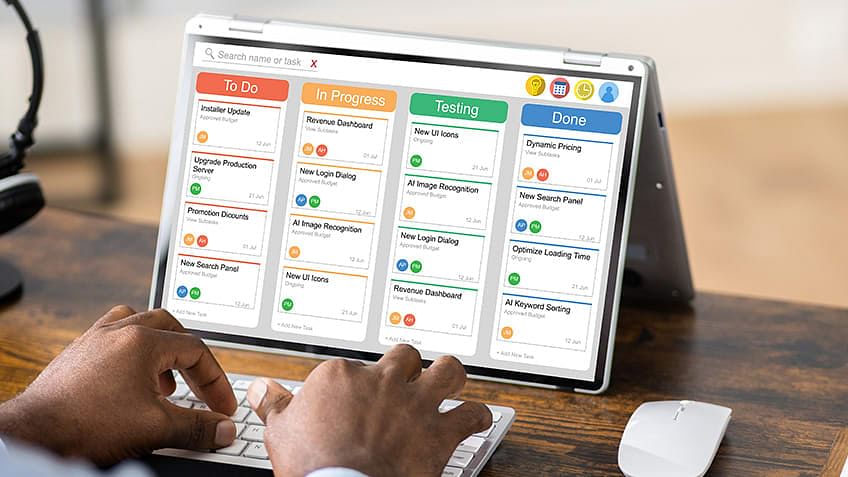
- Trello - Utilizing a card-based system, Trello is perfect for visualizing progress and managing tasks in a collaborative environment.
- Basecamp - Known for its simplicity, Basecamp helps teams stay on the same page while managing projects and communication.
- Jira - A favorite among software development teams, Jira is ideal for tracking issues and managing agile project workflows.
- Monday.com - This highly customizable tool offers a unique platform for visual project management, making it easy to adapt to various workflows.
Choosing the right project management tools can significantly impact the overall efficiency of your workspace. Each of these tools offers unique features tailored to different project needs, from agile methodologies to simple task management. To learn more about how these tools can transform your office's productivity, check out this comprehensive guide for in-depth comparisons and user reviews.
How to Choose the Right Project Management Tool for Your Team
Choosing the right project management tool for your team is crucial for enhancing productivity and collaboration. The first step in this process is to assess your team's specific needs and workflows. Consider factors such as the size of your team, the complexity of your projects, and the features that are essential for your work. For instance, if your team thrives in an Agile environment, tools that support Jira or Wrike might be more suitable. Additionally, it's important to evaluate whether your projects require timeline views, task dependencies, or budget tracking features.
Once you have a clearer understanding of your requirements, it's time to explore different options. Take advantage of free trials or demos offered by project management tools like Asana and Trello. During this evaluation period, gather feedback from team members to gauge usability and integration capabilities with other tools your team uses, such as Slack or Zoom. Finally, consider long-term costs and customer support options that can enhance your team's efficiency.
Understanding the Benefits of Using Project Management Tools in the Workplace
Utilizing project management tools in the workplace can significantly enhance productivity and streamline workflows. These tools provide a centralized platform for teams to collaborate, track progress, and manage their tasks efficiently. By implementing such tools, companies can achieve better communication, ensuring that all team members are on the same page. According to a study by Wrike, organizations that adopt these tools report up to a 20% increase in productivity as team members can easily share updates and access essential documents in real-time.
Moreover, project management tools aid in time management and prioritization, allowing teams to allocate resources effectively. Features like task assignment, deadline reminders, and progress tracking help maintain accountability and transparency. As noted by Asana, teams utilizing these tools experience a marked reduction in missed deadlines and project overruns, leading to improved client satisfaction and project outcomes. By harnessing the power of project management tools, organizations can foster a more organized and productive work environment.